The airline pilot companion
All your flight preparation. In seconds.
Save ≈30 minutes per flight with METARs, TAFs, NOTAMs, NAT routes, departure tools, and calculators in one place.
Make flying easier with handy references and airport notes from fellow pilots.
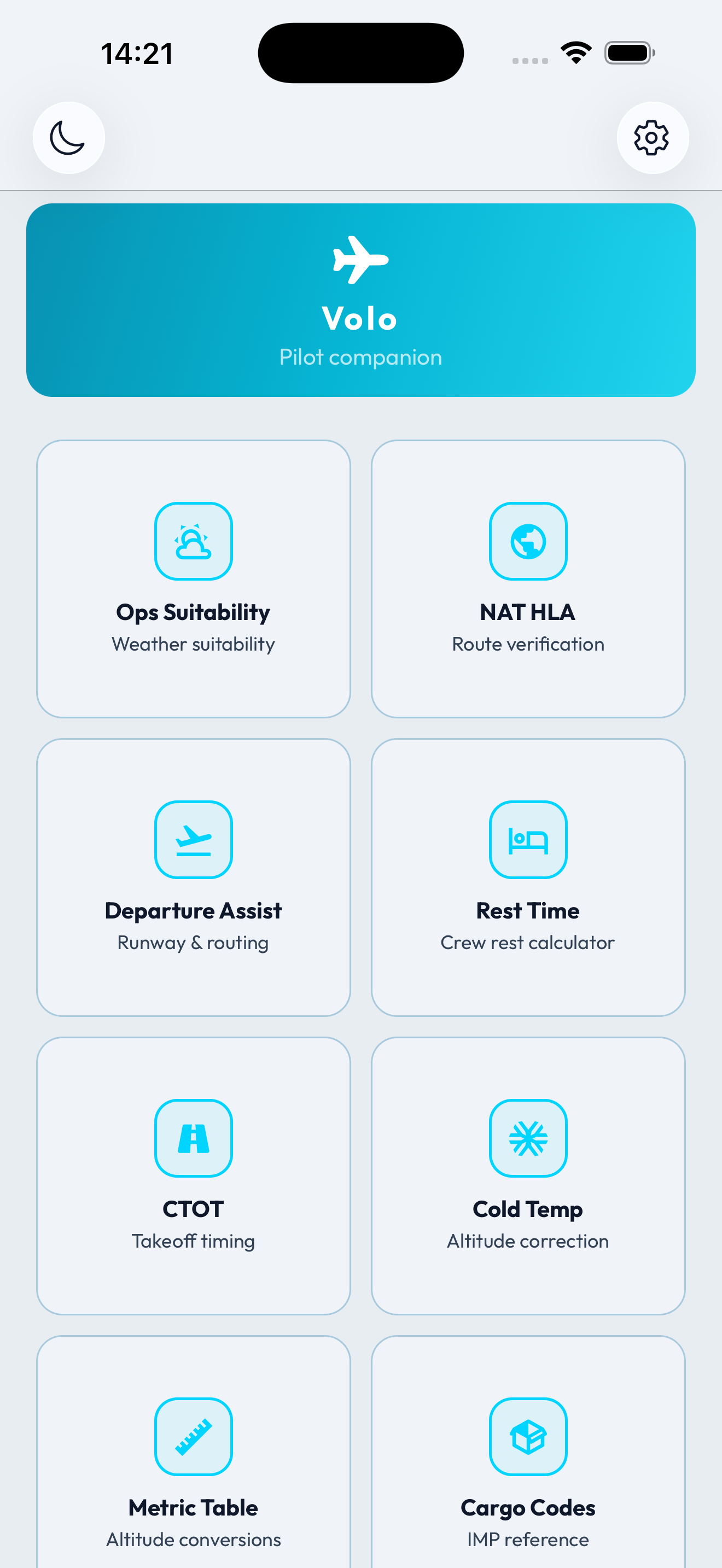

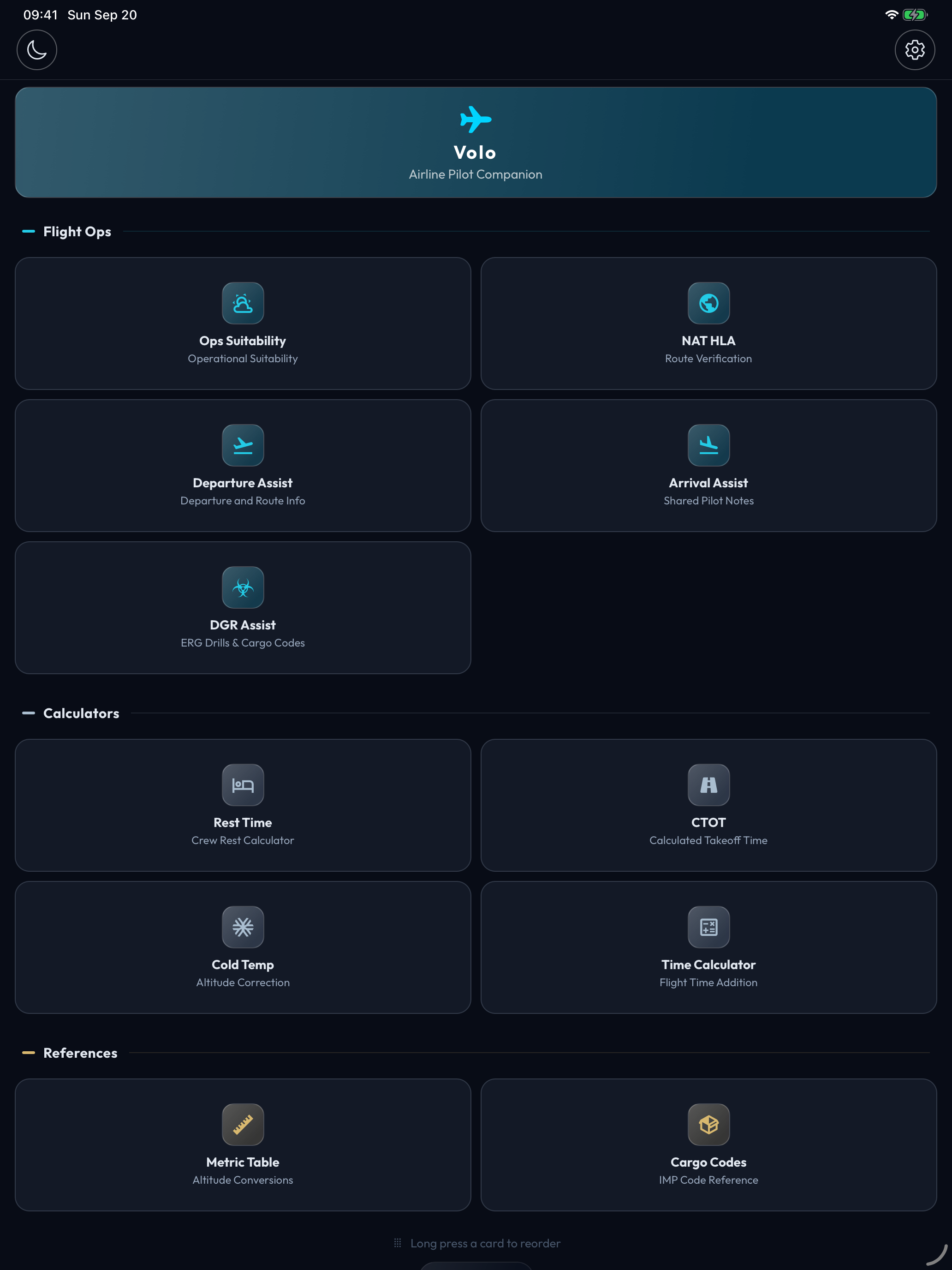

- iPhone & iPad
- 10 Pilot Tools
- Shareable PDF Reports
- Offline Calculators
“...with the Operational Suitability and NAT HLA modules, the 30-minute preparation phase can now be done in under a minute.”
- Capt. I. P., B777 Captain Pilot, Turkish Airlines
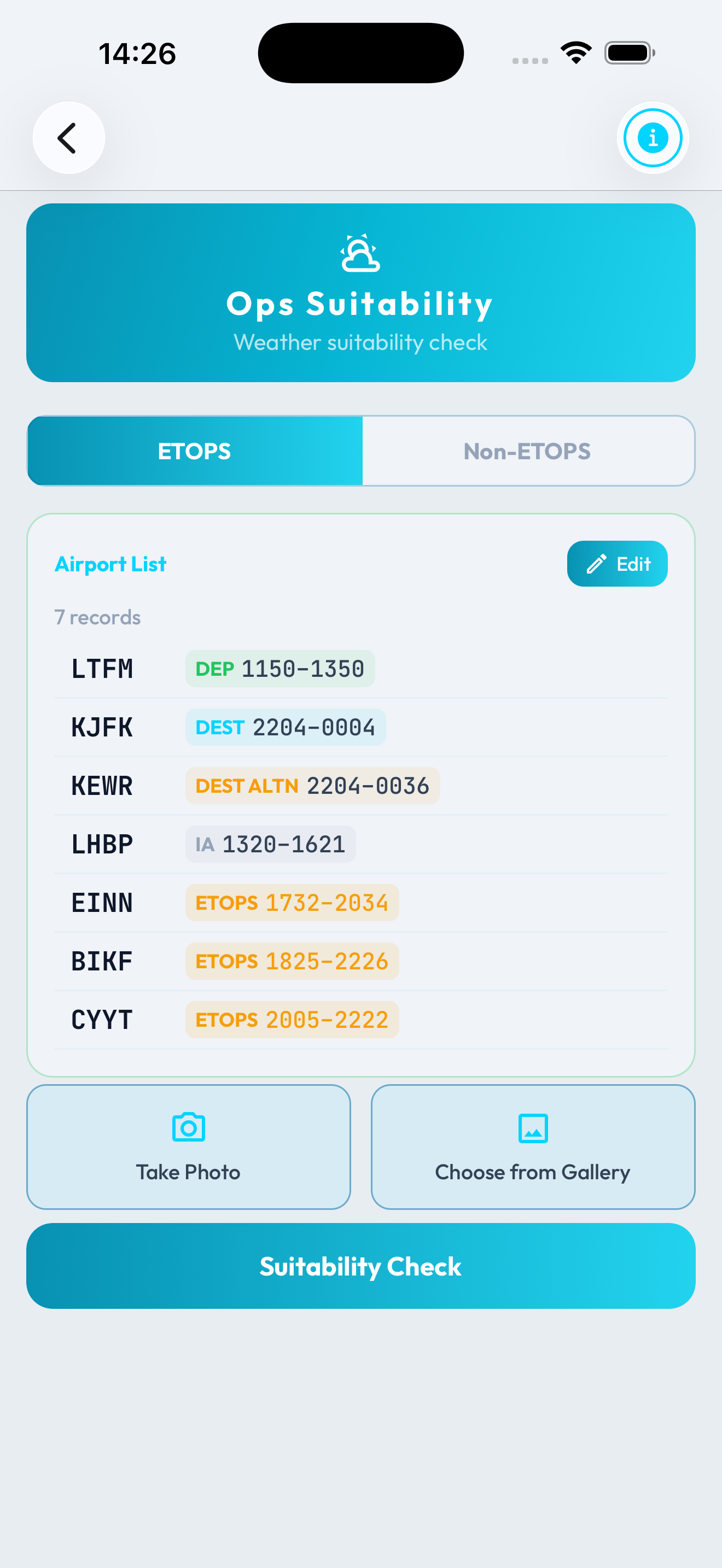
Operational Suitability
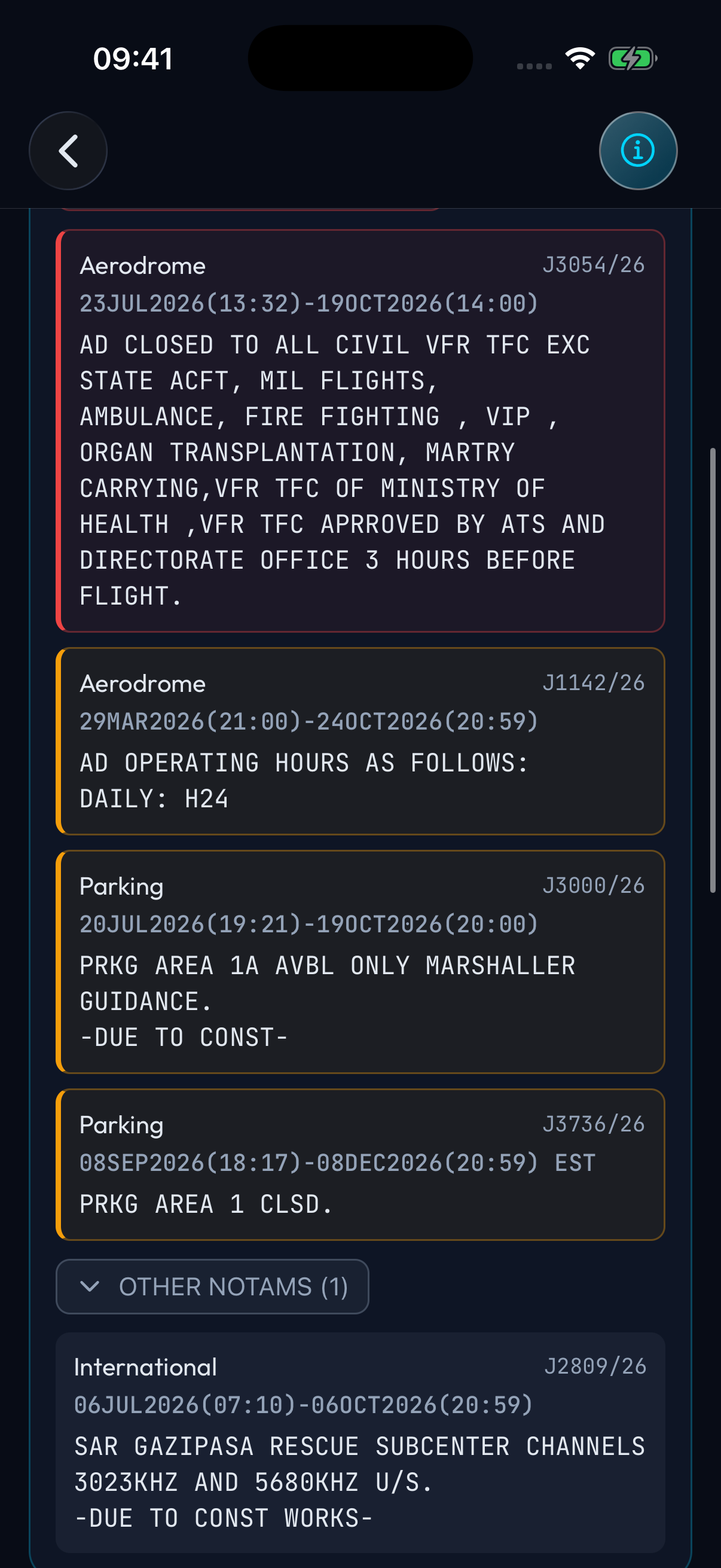
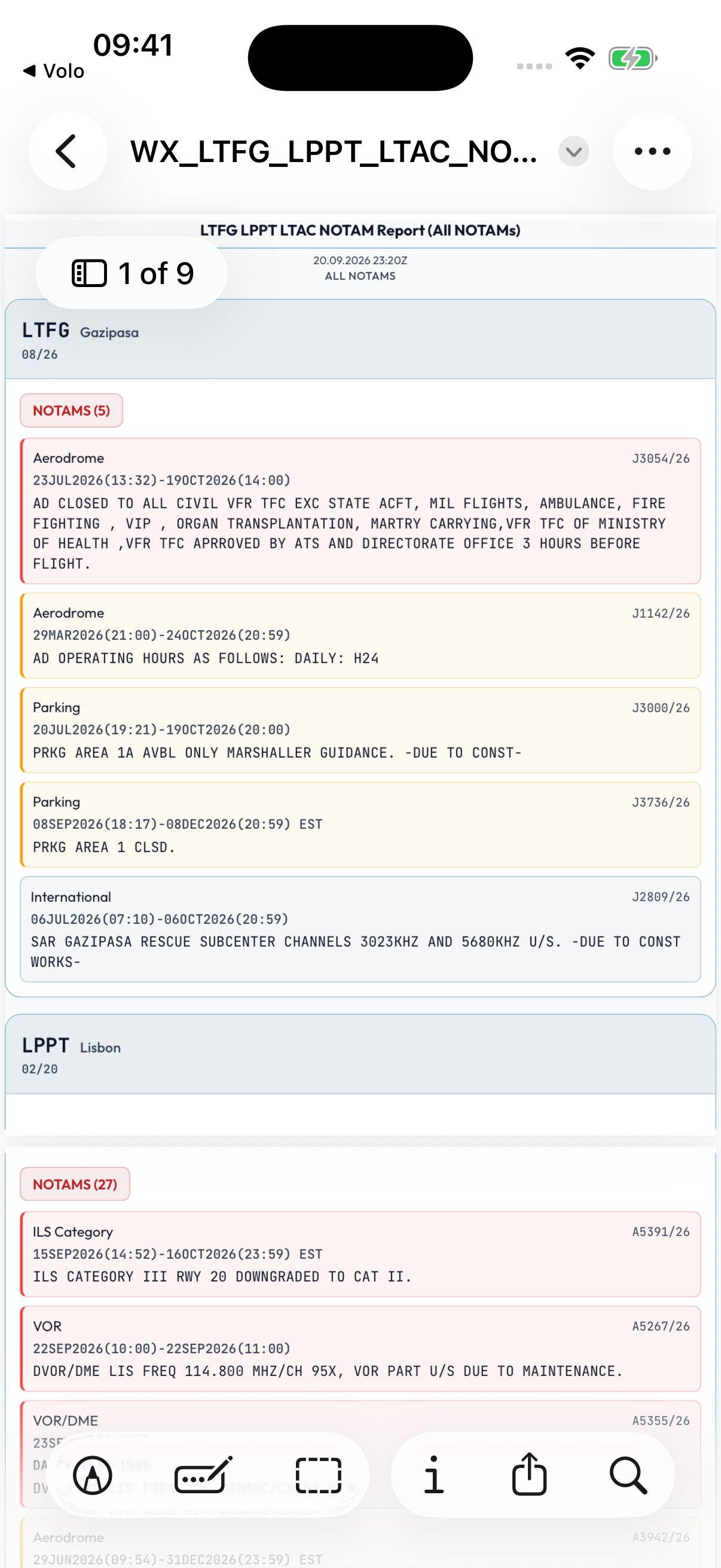
Paste airport lists and suitability times from your OFP to review TAFs and NOTAMs for your flight. For a quick weather lookup, enter ICAO codes to fetch METARs, TAFs, and NOTAMs without suitability windows.
- ETOPS and non-ETOPS airport lists
- Color-coded weather, with Significant and Other NOTAM sections
- Export weather, NOTAMs, or both as a PDF
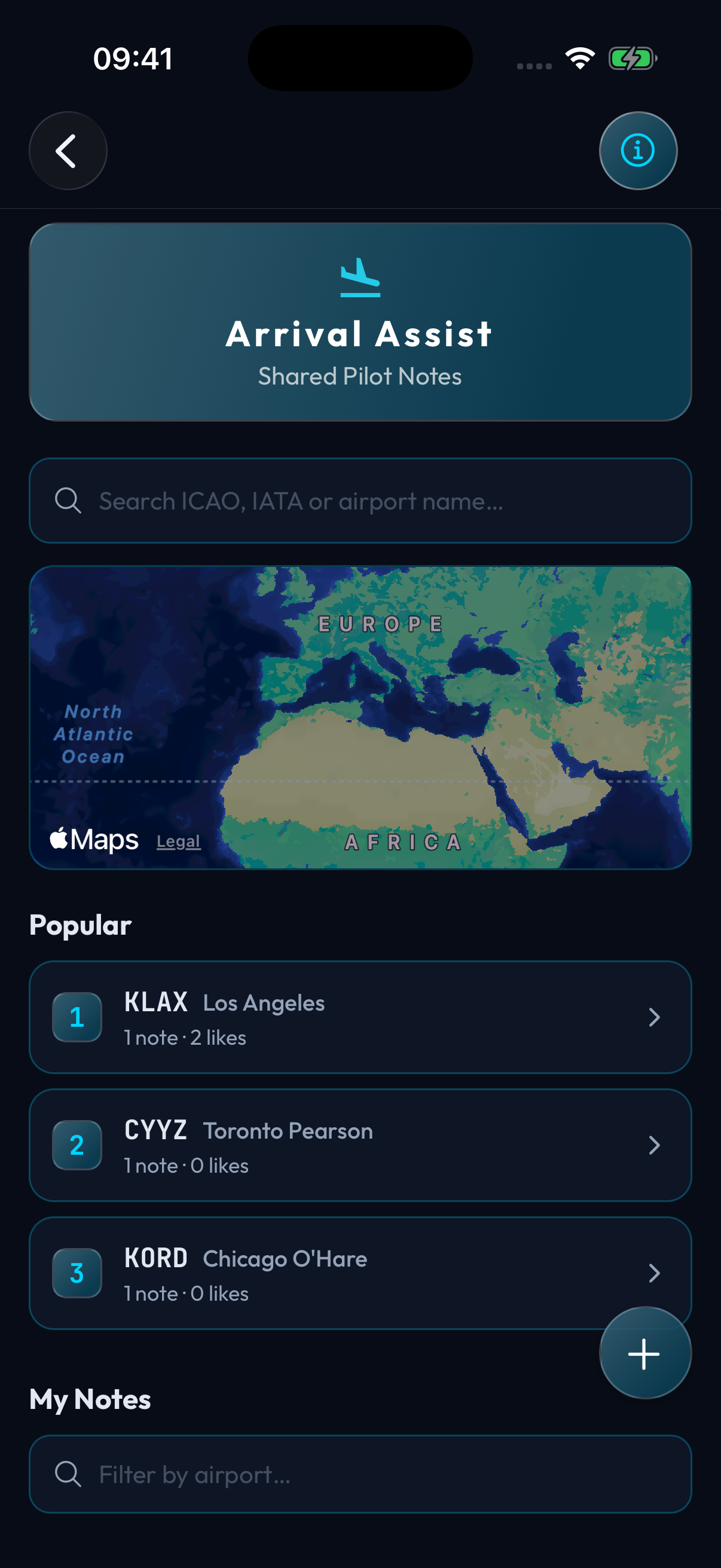
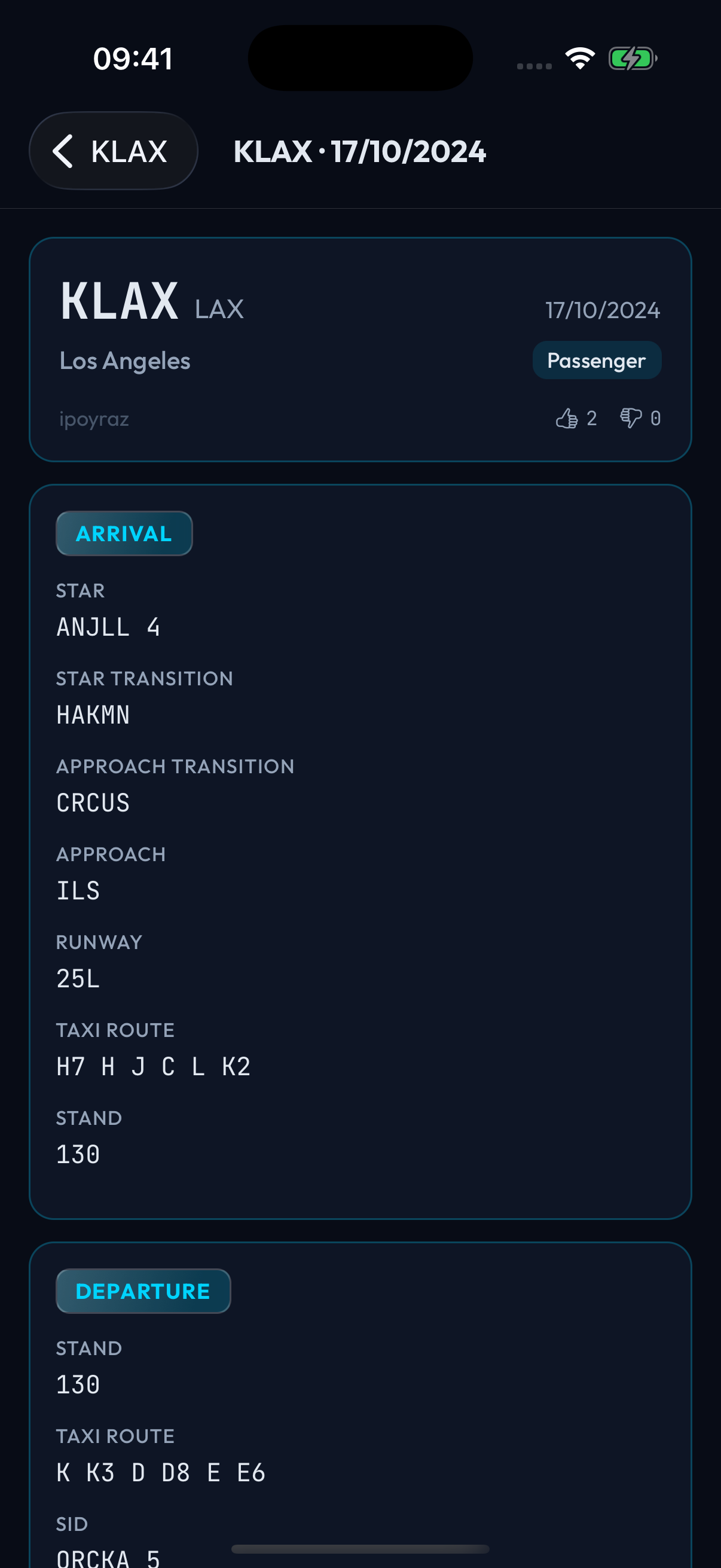
Arrival Assist
Read airport notes shared by other pilots and add your own. Keep approach, taxi, stand, departure, and layover details together for your next visit.
- Find airports by ICAO, IATA, name, or map
- Save unfinished notes as drafts and sync across devices
- Read cached notes offline and vote on shared notes online
- Export an individual airport note as a PDF
NAT HLA Route Verification
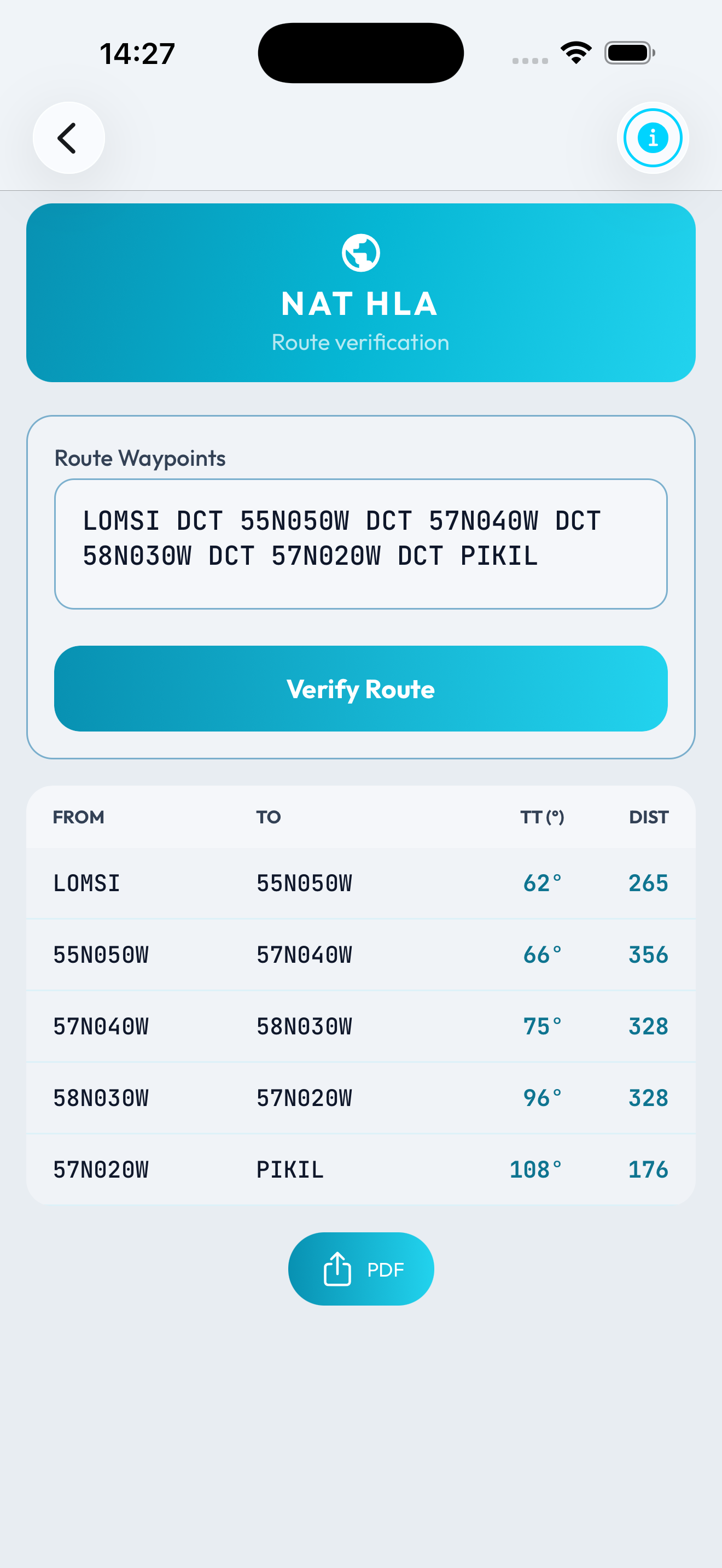
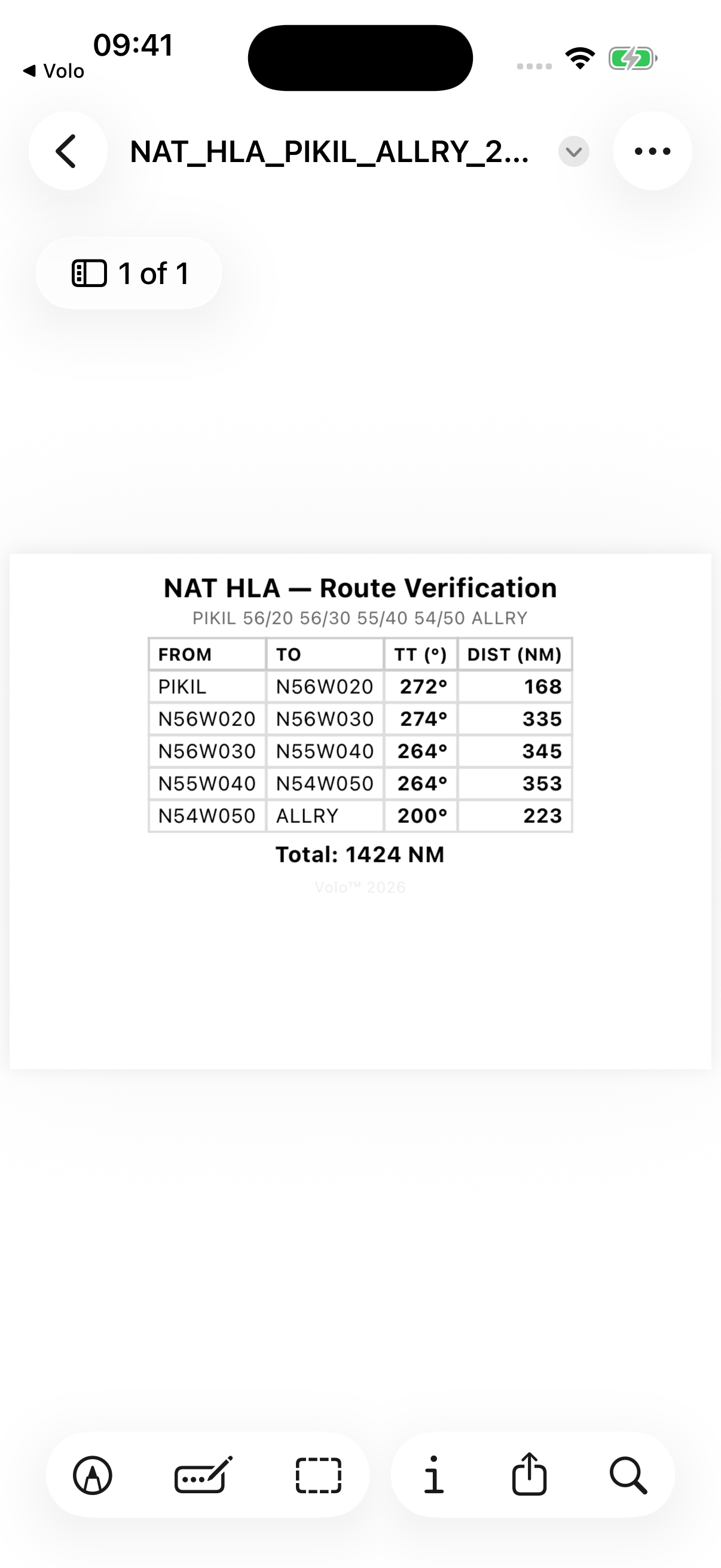
Paste NAT waypoints from your OFP or Track Message. Check recognized coordinates and calculate the true track and great-circle distance for each leg.
- Named waypoints and supported coordinate formats
- Unrecognized waypoints flagged for review
- Leg-by-leg route table, total distance, and PDF export
Departure Assist
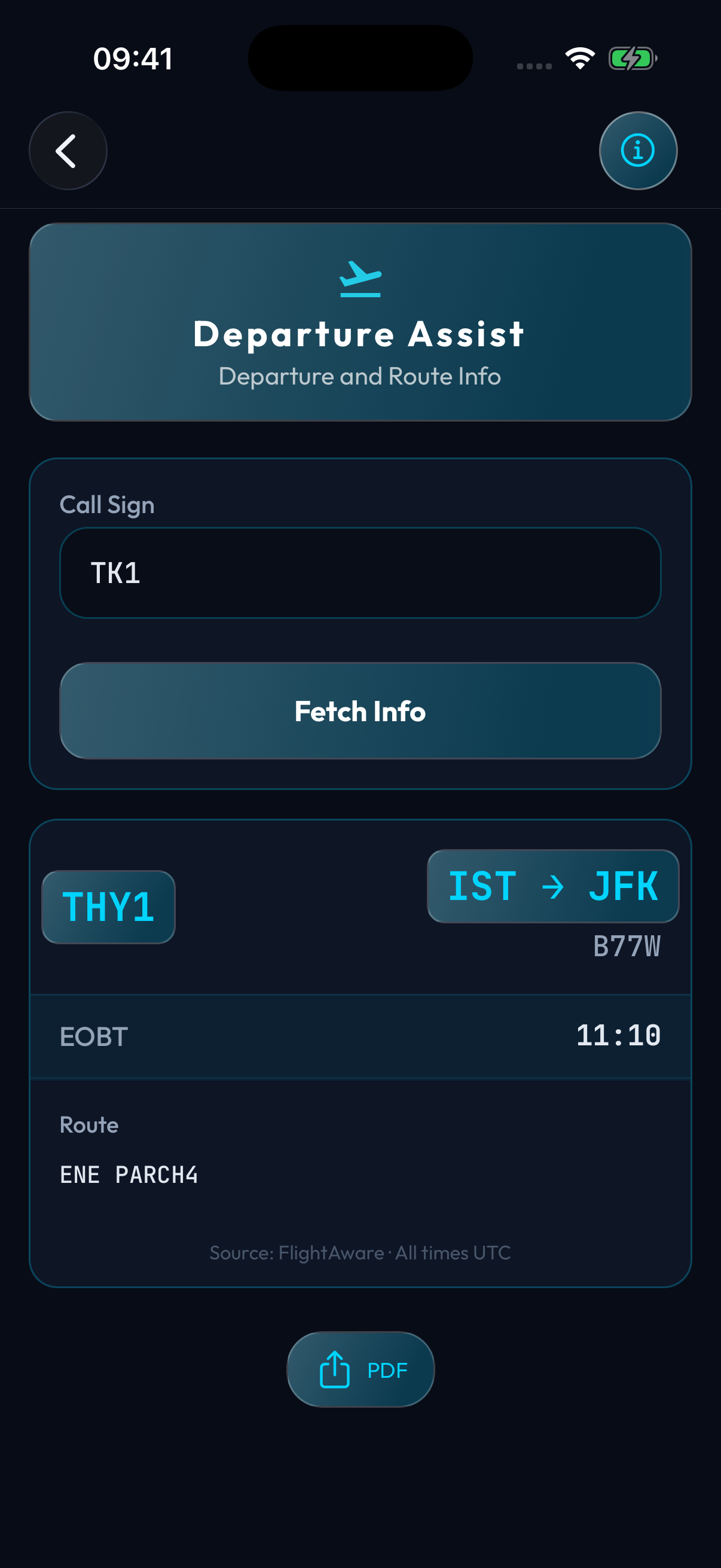
Look up a callsign for available departure details. IGA CDM provides Istanbul Airport information, with FlightAware used for other flight and route lookups when available.
- IGA CDM times include EOBT, TOBT, TSAT, and CTOT
- Stand, runway, and SID when supplied by IGA CDM
- FlightAware route details depend on source coverage
DGR Assist
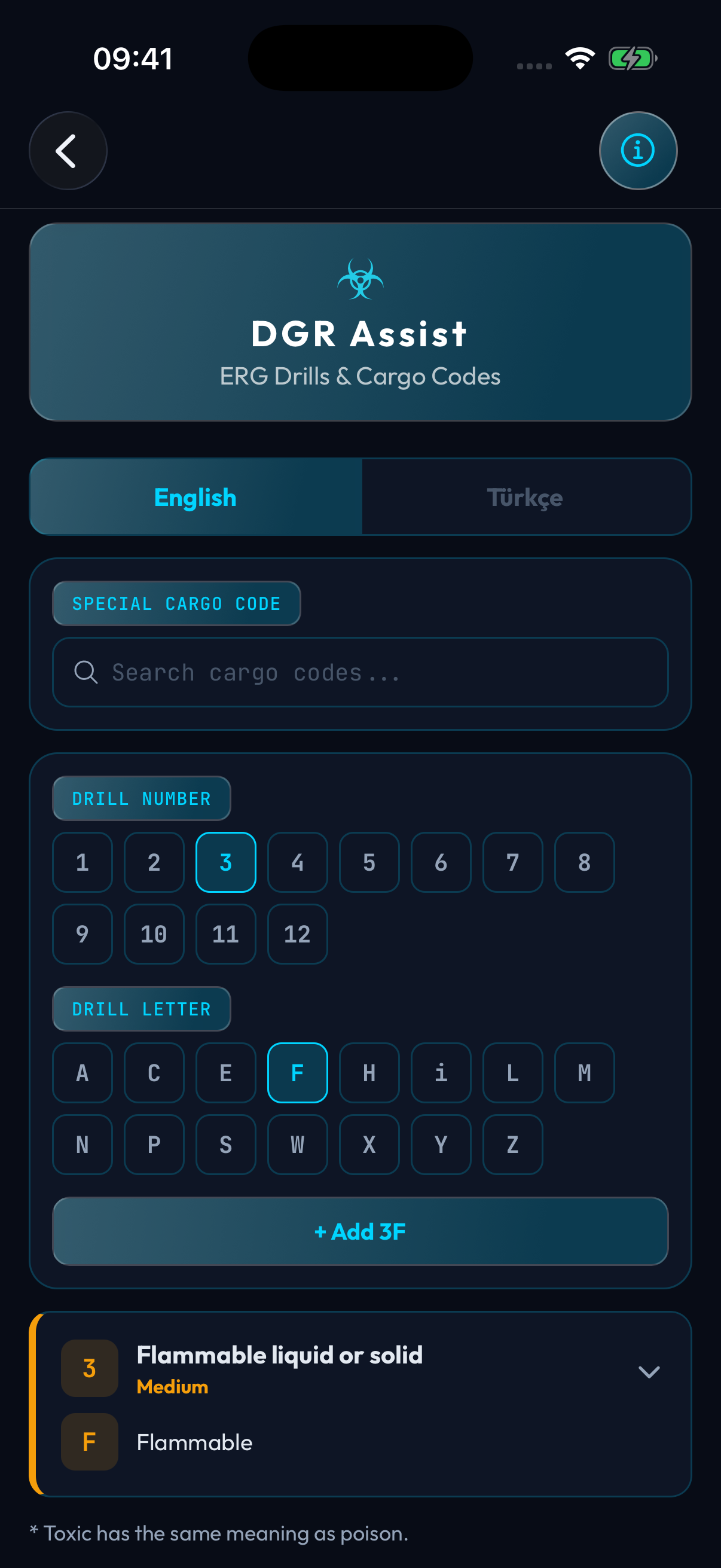
Look up dangerous goods emergency response drill summaries in English or Turkish. Select a drill number and letter to review the associated hazards and procedures.
- Drill numbers 1 to 12 with letter-specific guidance
- Keep multiple selected codes visible together
- Quick reference to use alongside your operator's procedures
Your results, ready to share
Export weather and NOTAM reports, NAT route checks, airport notes, and departure details. Selected calculators and reference tools also export to PDF, including cold temperature corrections, flight time totals, and the metric table.
Save a copy on your device or share it with your crew.
More Tools
Calculators and references
Rest Time
Divide a rest window into 2, 3, or 4 periods, with 0, 5, or 10 minutes between slots. View start, wake-up, and duration for each period.
CTOT Calculator
Plan takeoff, TOBT, boarding, and door-close times using STD, CTOT, taxi time, and the engine-start setting.
Cold Temp Correction
Enter aerodrome temperature, elevation, and fix altitudes to calculate cold temperature corrections. Export the table as a PDF.
Time Calculator
Add multiple flight times in hours and minutes. See the total in HH:MM and decimal hours, then export it as a PDF.
Metric Table
Search the meters-to-feet altitude reference table and export the full table as a PDF.
Using Volo
A few things to know before your next flight.
Calculators, NAT route checks, and bundled reference tables run on your device. Previously cached airport notes are available offline. Fresh METARs, TAFs, NOTAMs, departure information, note syncing, and Volo News need an internet connection.
Built with pilots on our team. The tools we wished we had on every flight.
The Volo Team